
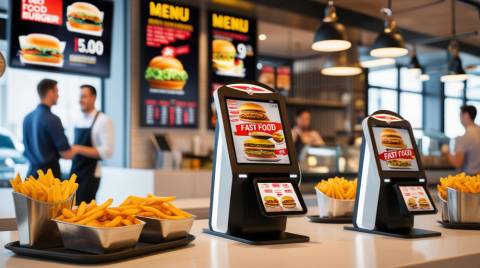

POS System for Quick-Service Restaurants (UK, 2025)

Queues too long, orders getting mixed, and margins shrinking? The right QSR POS fixes that, speeding up service, keeping stock tight, and giving you the live numbers you need to run lean.

Below is a UK-focused, 2025-ready guide that keeps what mattered from your original page, tightens the advice, fills content gaps, and adds clear buyer cues and CTAs, no filler.

Why QSRs Need a Purpose-Built POS

QSR is about seconds. A generic till slows you down; a QSR POS shaves steps off every order, keeps the kitchen synced, and protects margins with accurate portioning and live stock.

Non-negotiable QSR capabilities (what to look for)

  • KDS & prep routing: Send items to the right station; fire courses together; throttle tickets at rush.
  • Modifier logic & combos: Build meals, bundles, and upsells without slowing staff.
  • Menu dayparts & auto-86ing: Switch menus by time; auto-hide out-of-stock items.
  • Offline mode that actually works: Take chip/tap when Wi-Fi dies and sync later.
  • Click & collect / delivery hubs: Integrate Deliveroo, Uber Eats, Just Eat; centralise menus and fees.
  • Drive-thru timers & order confirmation screens (OCS): Reduce seconds per car.
  • Allergen prompts & label printing: UK allergen compliance without guesswork.
  • Real-time COGS: Ingredient-level depletion and waste capture.

think fast food, takeaways, counter service—the right POS system needs to prioritise speed, high transaction volume, and integration with kitchen workflows.

The 6 Systems We Recommend (QSR-specific)

Summary: We kept your original shortlist but tightened the value props, clarified who each suits, and added implementation notes so you can choose faster.

Square for Restaurants (Best for getting live fast)

  • Why QSRs pick it: Free entry plan, quick setup, clean iPad UI, strong offline payments, decent KDS, simple menu edits for dayparts/specials.
  • Standout: Great for single-site or seasonal venues; easy staff onboarding.
  • Mind this: Advanced reporting/loyalty often means paid add-ons.
  • Typical cost: From £0/month(plus processing fees).

Start Free · Book a 15-min Fit Check

TouchBistro (Best counter + table hybrid)

  • Why QSRs pick it: iPad native, quick item/modifier flows, KDS that’s actually readable at pace, tableside if you ever add seating.
  • Standout: Strong menu engineering and kitchen coordination.
  • Mind this: Verify payment & delivery integrations you need.
  • Typical cost: ~£59/mo.

See a KDS Demonth· Menu Build Walkthrough

Epos Now (Best UK-based support & simplicity)

  • Why QSRs pick it: UK vendor, 24/7 support, simple UI, add-on self-order kiosks, works with common card readers.
  • Standout: Good “first serious POS” for growing QSRs; easy training.
  • Mind this: Advanced analytics may require extras.
  • Typical cost: software from £25–£54/monthor bundle pricing.

Request a Demo · Kiosk Add-On Tour

Zettle POS (Best for pop-ups, vans, and small counters)

  • Why QSRs pick it: Minimal hardware, slick tap-to-pay, simple stock, fast queues.
  • Standout: Great for events/festivals; keep lines moving.
  • Mind this: Lightweight features vs. heavier restaurant suites.
  • Typical cost: Reader/terminal from ~£149 + card fees.

CTA: Fastest Way to Take Tap-to-Pay

Clover (Best hardware-in-one for busy lines)

  • Why QSRs pick it: All-in-one terminals (printer + scanner + reader), handhelds for queue-busting, decent app marketplace.
  • Standout: Robust hardware for high-traffic counters.
  • Mind this: Check plan/fees; features can be app-based.
  • Typical cost: hardware from ~£599 + monthly plan.

Find Out More

Toast (Best for kitchen-heavy flows & kiosks)

  • Why QSRs pick it: Deep KDS, menu-level control, kiosks, drive-thru timing, robust reporting.
  • Standout: Built for rush; great for multi-station kitchens.
  • Mind this: Confirm UK support footprint & payments terms in your region.
  • Typical cost: from ~£80/mo.

Compare Providers 

Note: Public list prices change; use as ballpark. Always confirm quotes.

 Compare Systems · Get a Free Demonth· See a Live Menu Flow

Support for contactless payments, mobile wallets, and quick card processing.

Feature Checklist (Save this)

Use this to pressure-test vendors. If they hesitate on any line below, keep looking.

  • Ordering: combos, forced/optional modifiers, upsell prompts, menu dayparts
  • Speed: tap-to-order keys, search-first PLUs, saved tickets, drive-thru OCS
  • Kitchen: KDS with prep timers, station routing, order throttling
  • Payments: offline authorisation, Apple/Google Pay, split & partial, tip prompts
  • Inventory: auto-deplete by recipe, yield/waste capture, par levels & alerts
  • Delivery: direct integrations + aggregator hub (Uber Eats/Deliveroo/Just Eat)
  • Reports: item mix, daypart profit, cashier speed, void/comp audit
  • Compliance: PCI DSS, UK allergen prompts, SCA/PSD2 support

Compare QSR POS Features

Implementation in 30/60/90 (so launch is boring—in a good way)

Success = configuration + training + measurement. Here’s a proven ramp.

  • Day 0–30: Menu build (combos/modifiers), KDS routes, payment setup, basic reports, staff training (speed drills).
  • Day 31–60: Enable delivery integrations, upsell prompts, item-level COGS, void/comp audits, waste capture.
  • Day 61–90: Add kiosks/handhelds, drive-thru timers, loyalty, forecast prep using item-mix + daypart trends.

Get a Launch Plan Template – Compare Prices

Costs & Contracts (UK reality check)

Summary: Budget beyond the sticker price—throughput ROI dwarfs fees if configured right.

  • Software: £0–£90/monthper device (most QSRs land £40–£80).
  • Hardware: £150 (simple reader) to £1,200+ (kiosk/terminal).
  • Processing: typically 1.5–1.9% + per-txn pence; negotiate volume.
  • Hidden gotchas: kiosk licenses, delivery menu hubs, “premium” reporting.

Tip: Always request a menu-based throughput test in the demonth(5-order stress test).

Final Thoughts

The right POS system is the difference between chaos and consistency. The best QSR POS systems of 2025 don’t just process payments; they orchestrate your entire operation, from lightning-fast order taking and kitchen routing to real-time analytics that drive smarter decisions.

Start with a free demo of systems like Square, TouchBistro, or Lightspeed, and see firsthand how automation, KDS integration, and real-time data can transform your daily rush into a smooth operation.

The takeaway?
A great POS doesn’t just take payments, it takes pressure off your team, speeds up service, and turns every order into an opportunity to scale.

FAQs

What’s the best POS for a small UK QSR?

Square for Restaurants or Zettle if you want the fastest low-cost start; Epos Now if you want UK support and simple kiosk options.

Do I really need a KDS?

If you do any volume at rush, yes. KDS cuts misfires and reduces ticket times, worth it even for single-line kitchens.

Can QSR POS work offline?

The good ones do. Square, TouchBistro, Clover and others store transactions and sync once back online.

Will it integrate with Deliveroo/Uber Eats/Just Eat?

Most leading systems do; ask for direct integrations or a delivery hub so menus/orders sync both ways.

What moves the needle most on profit?

Accurate recipe-level COGS + waste capture, daypart pricing, and upsell prompts at order time.